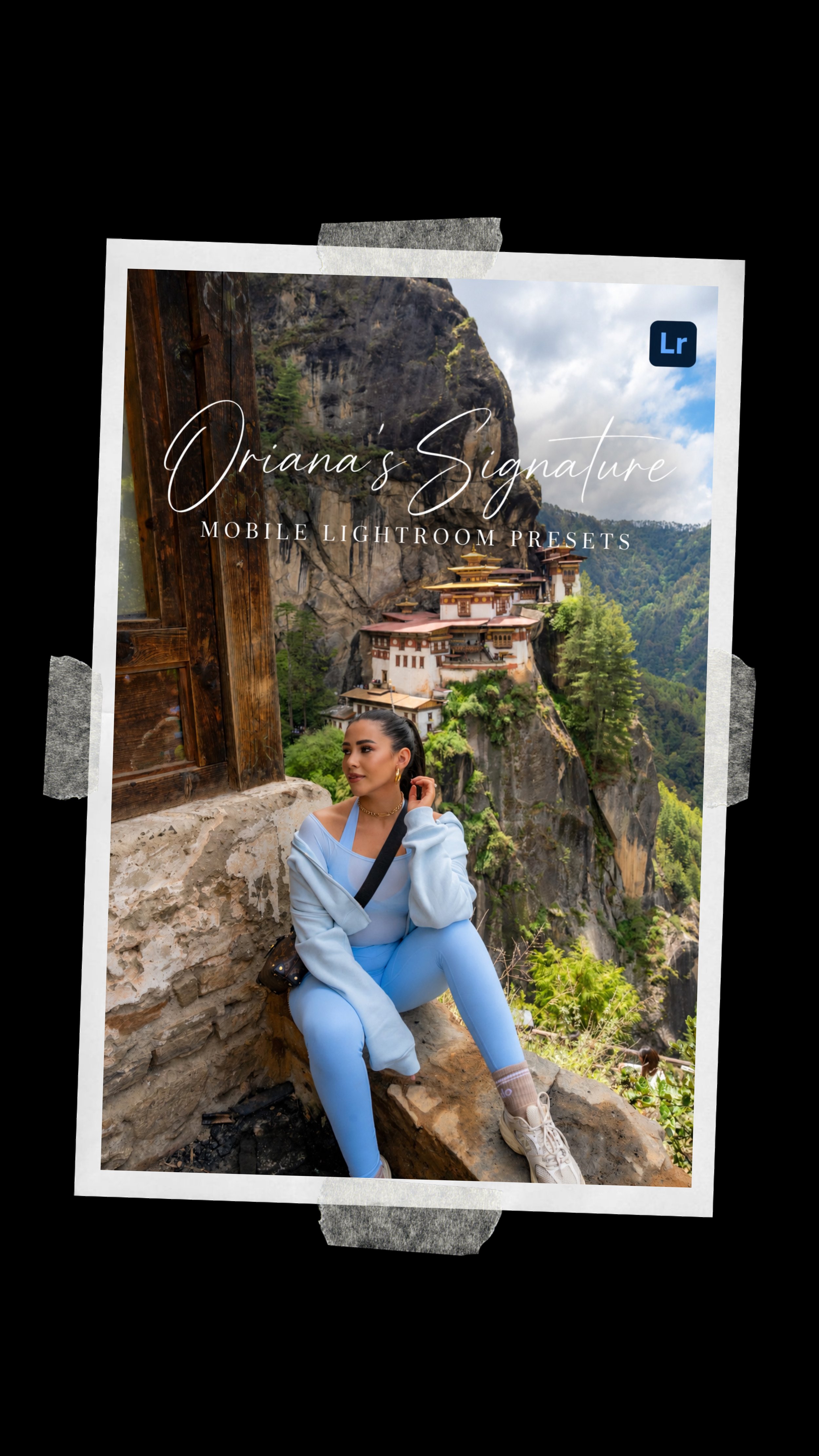
Oriana's Signature Lightroom Mobile Presets

£18.00

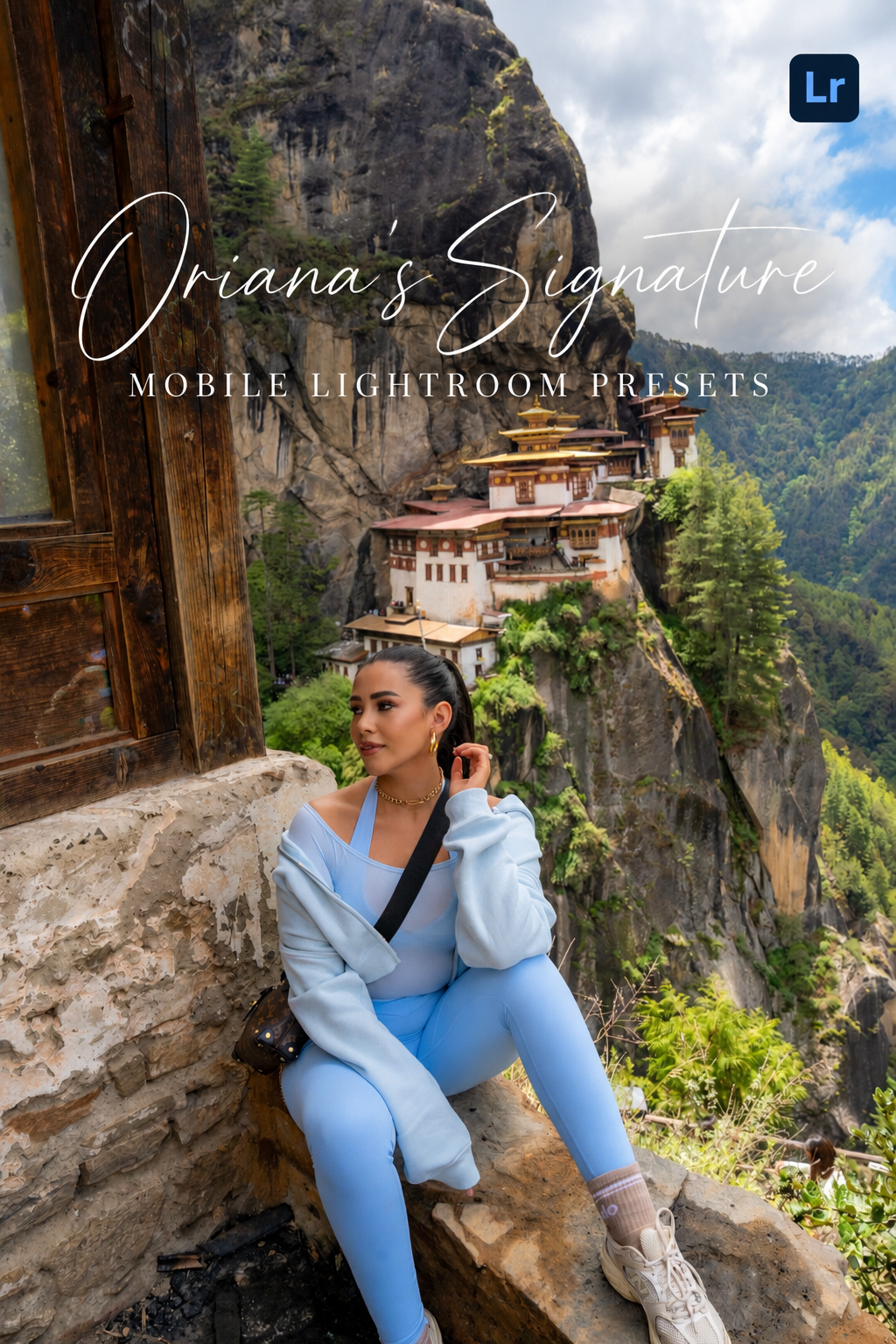
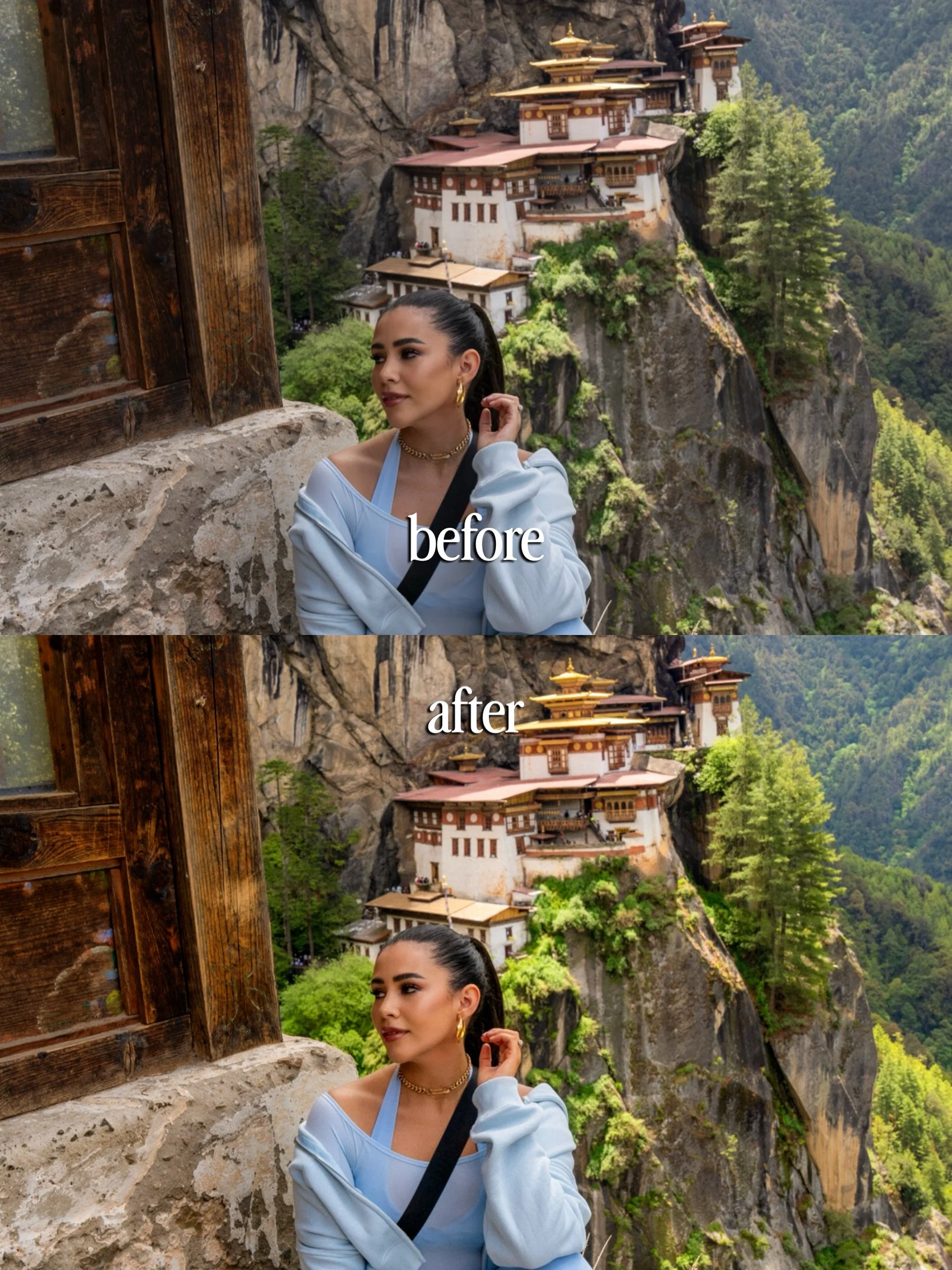
Start with 5 of my signature Mobile Lightroom Presets, created to give your photos a polished, elevated travel look in just one click. 📸

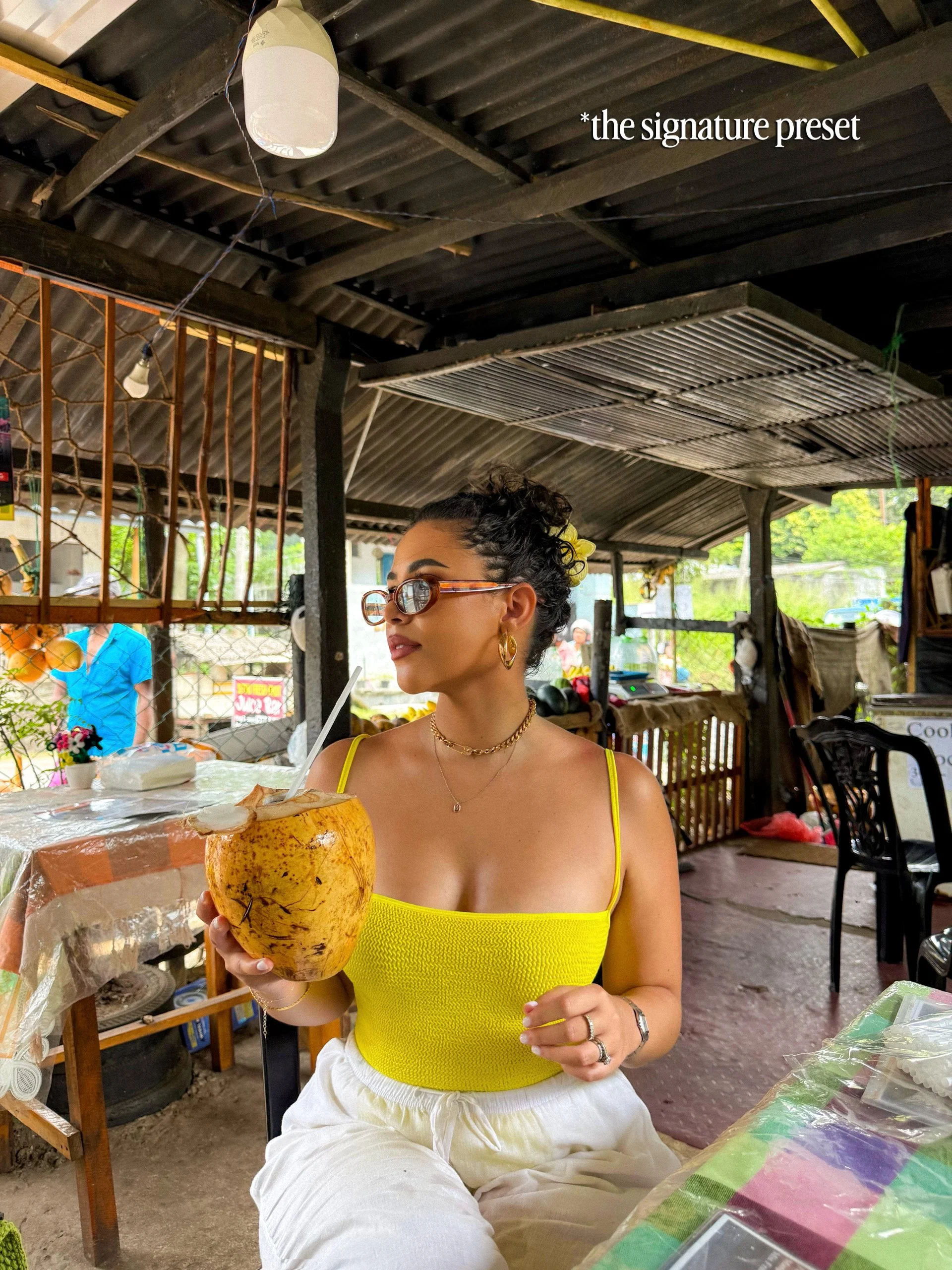
These are the presets I’ve designed around the style I love most: bright, rich colours, beautiful skin tones and images that feel vibrant without looking overly edited.

Whether you’re shooting tropical beaches, lush landscapes, city breaks or everyday moments, each preset gives you a beautiful starting point that you can easily adjust to suit your photo.

No desktop needed. Simply download, add them to the Lightroom Mobile app and start editing straight from your phone.

Included:

5 SIGNATURE MOBILE LIGHTROOM PRESETS

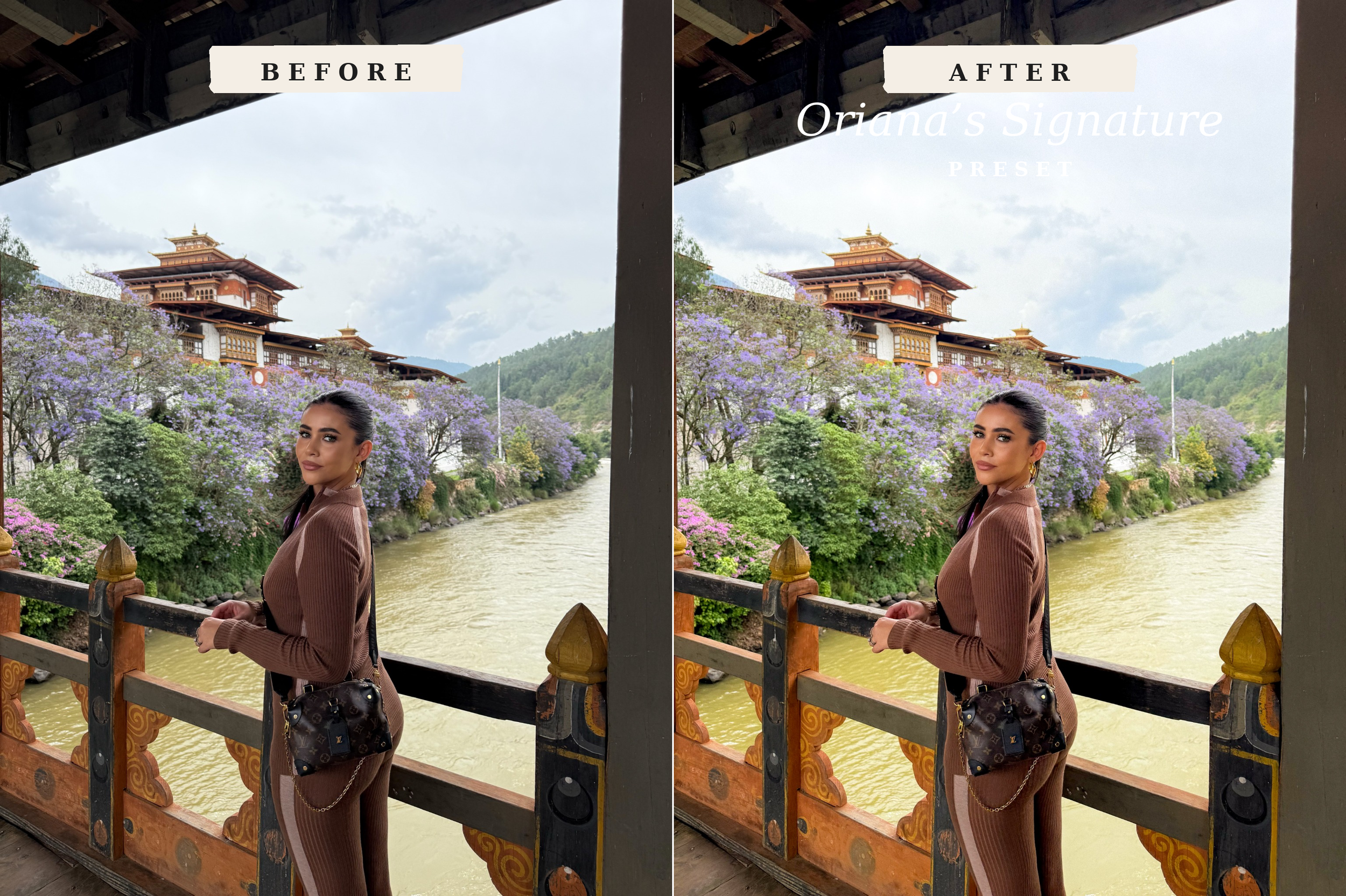
1. Oriana’s Signature
My go to, all round preset for your everyday travel photos. Bright, rich and polished while keeping everything looking natural.

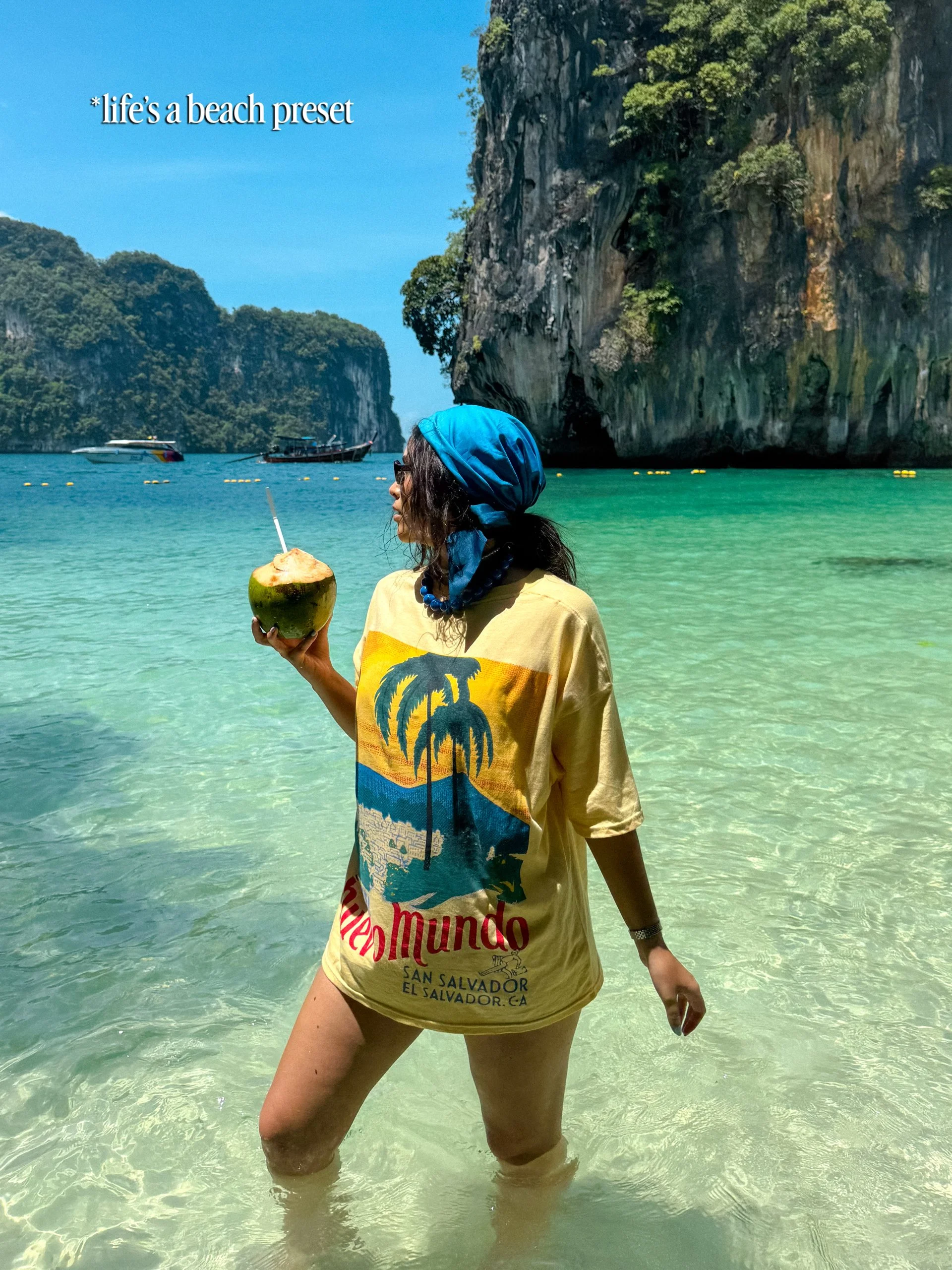
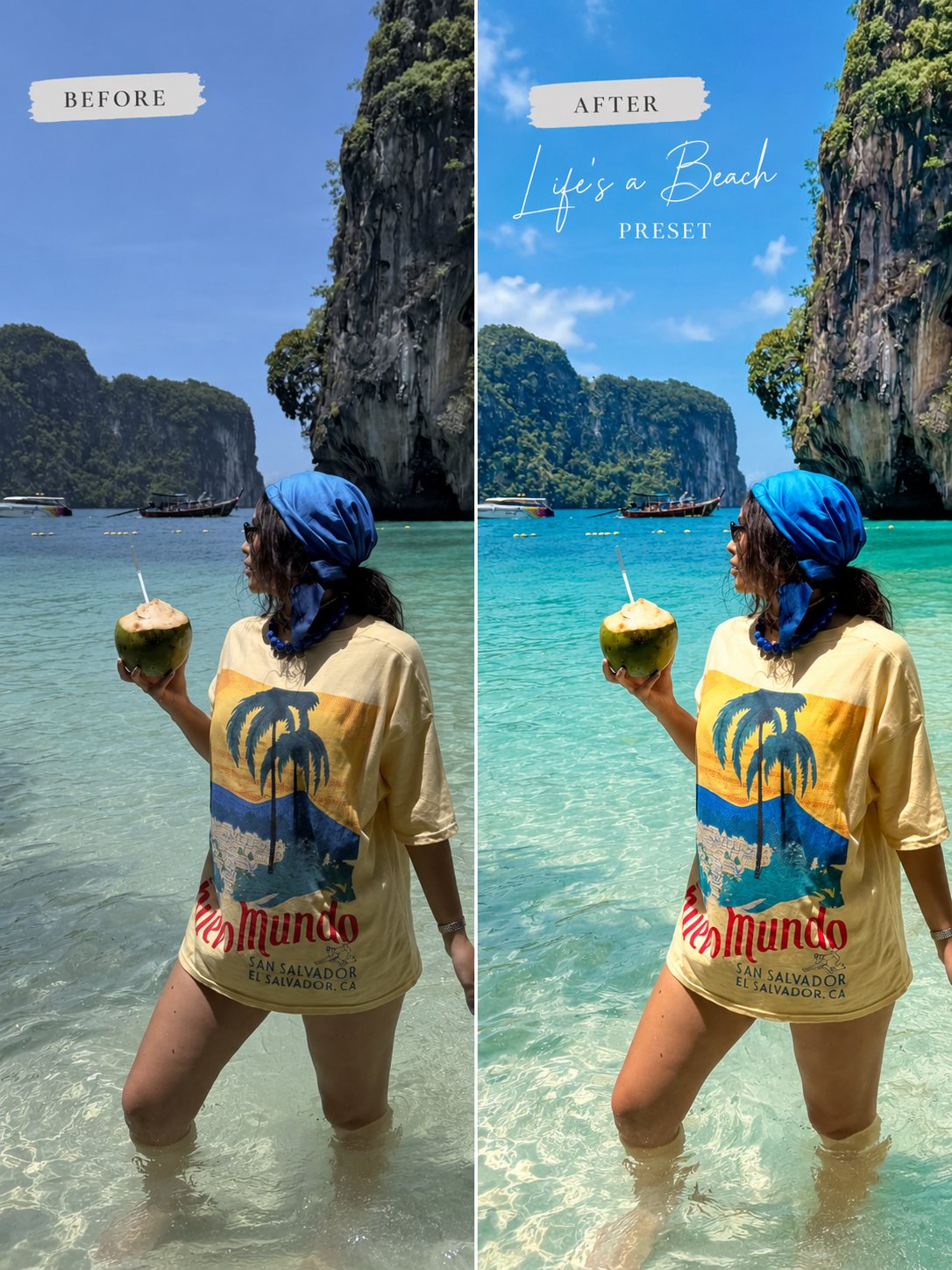
2. Life’s a Beach
Made for sunshine, turquoise water and tropical escapes. Perfect for beaches, islands, pools and those dreamy summer shots.

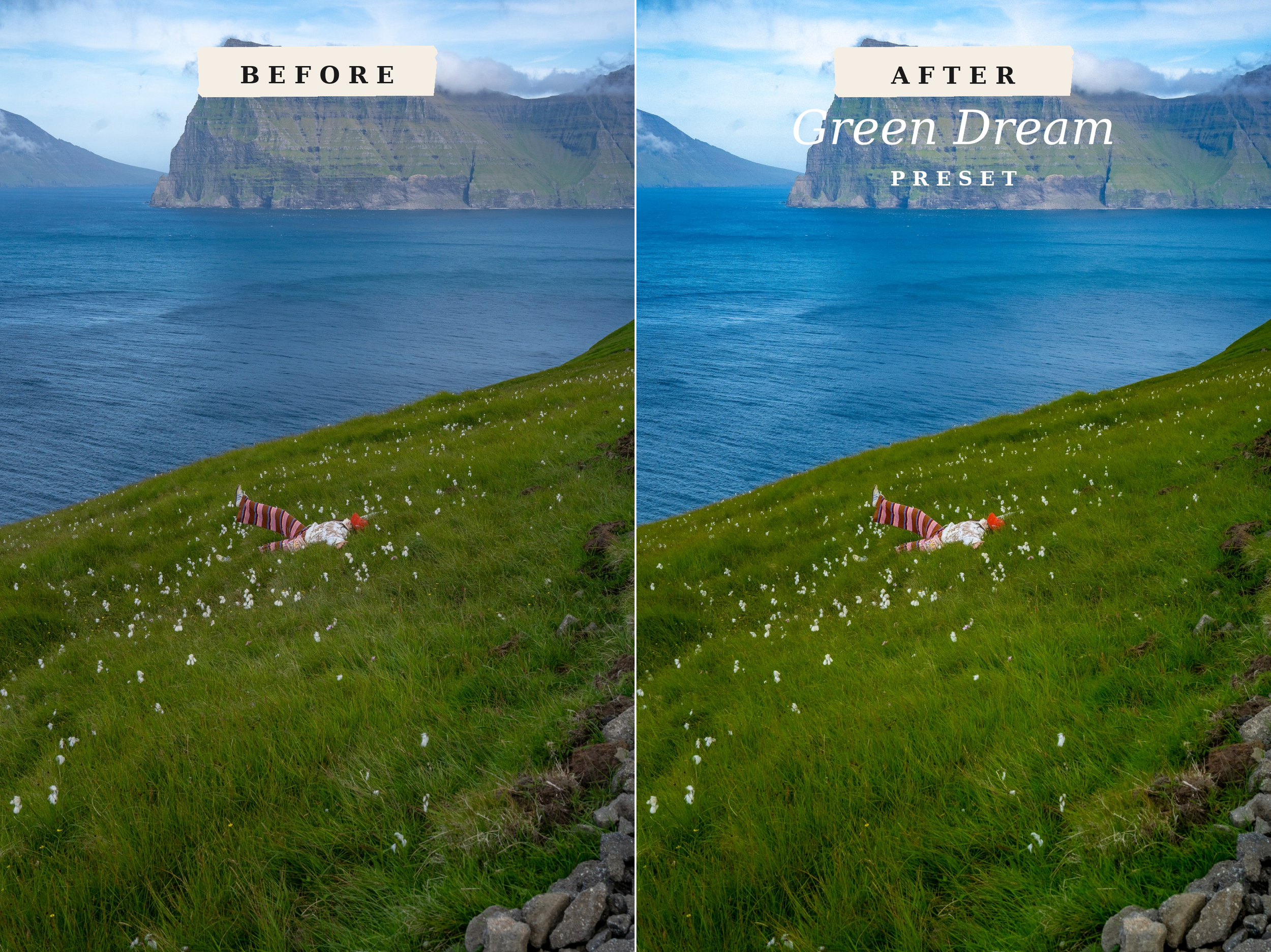
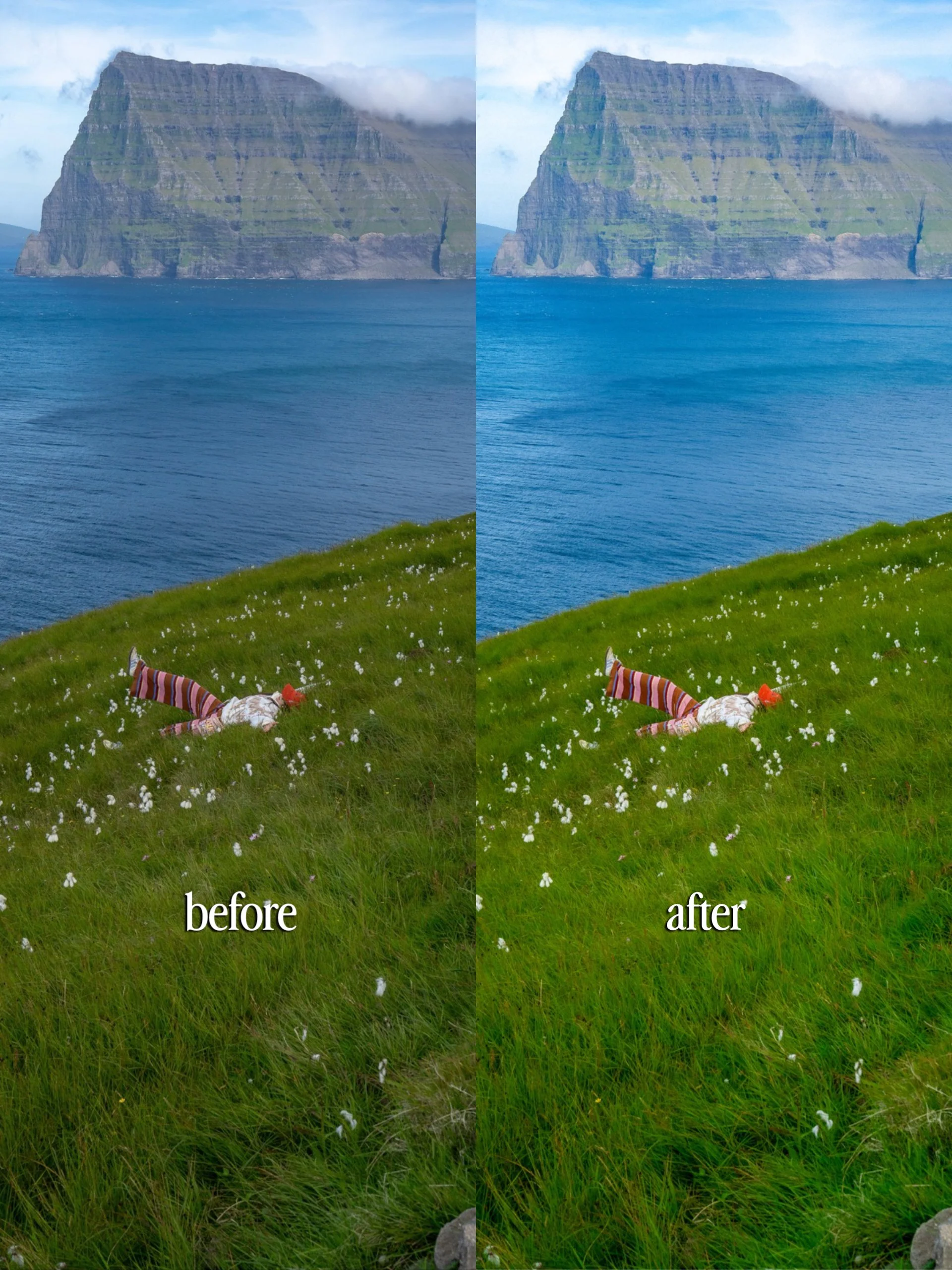
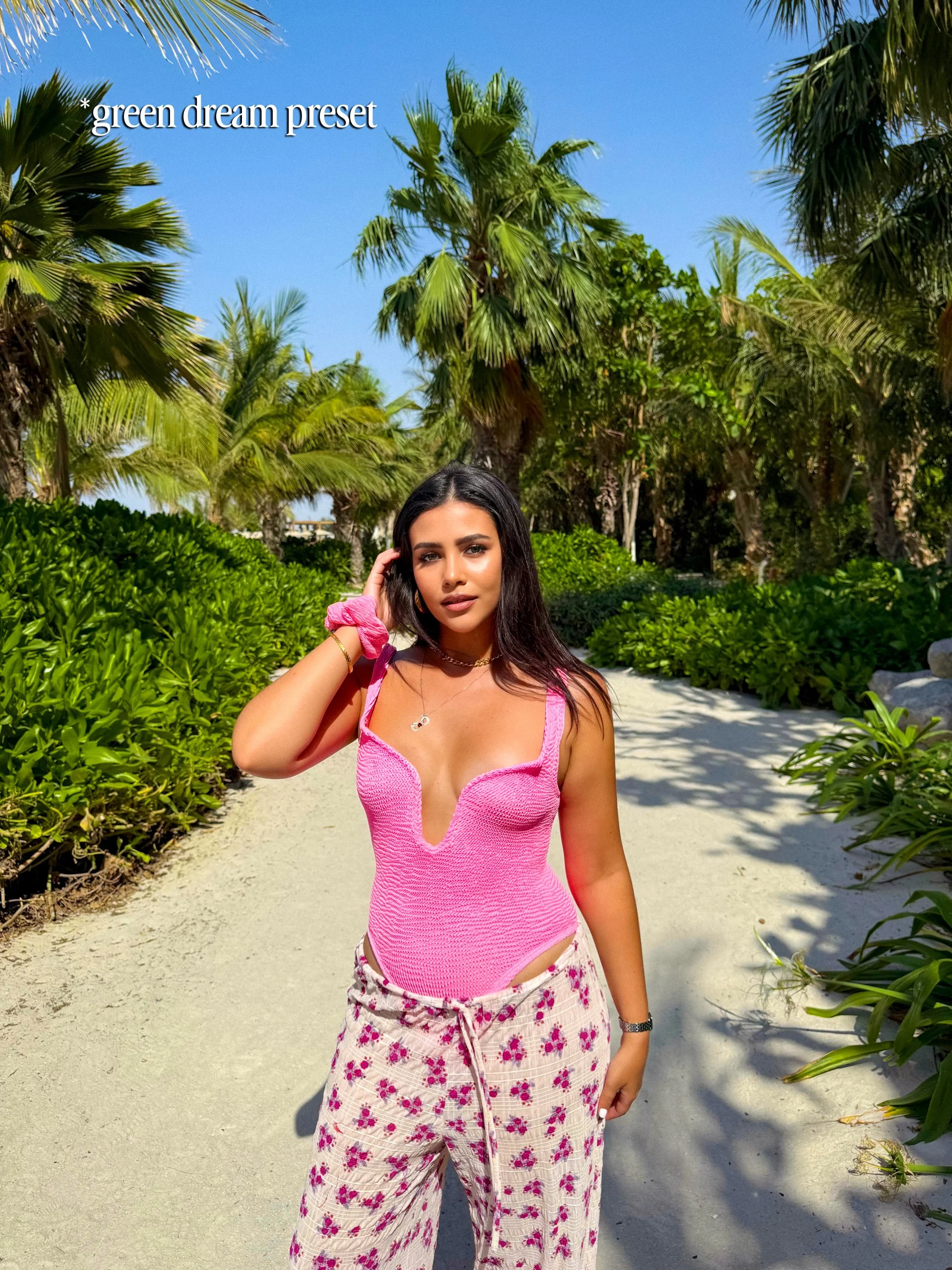
3. Green Dream
Designed for photos where green takes centre stage. Think jungles, mountains, hiking trails, forests and lush landscapes.

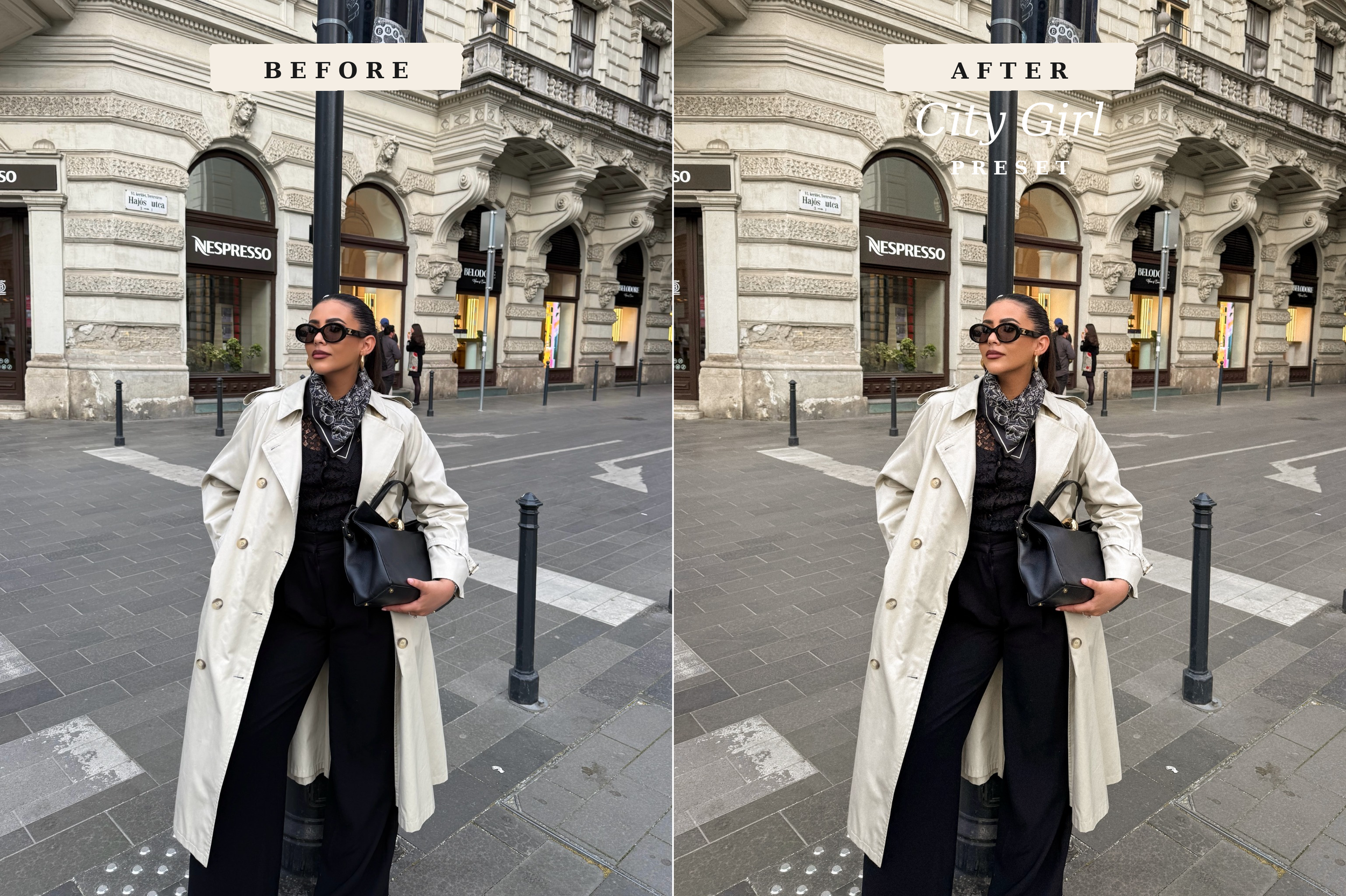
4. City Girl
Your go to for city breaks. A minimalist preset perfect for urban settings. Designed to bring out architecture, buildings, streets and those effortlessly cool city moments.

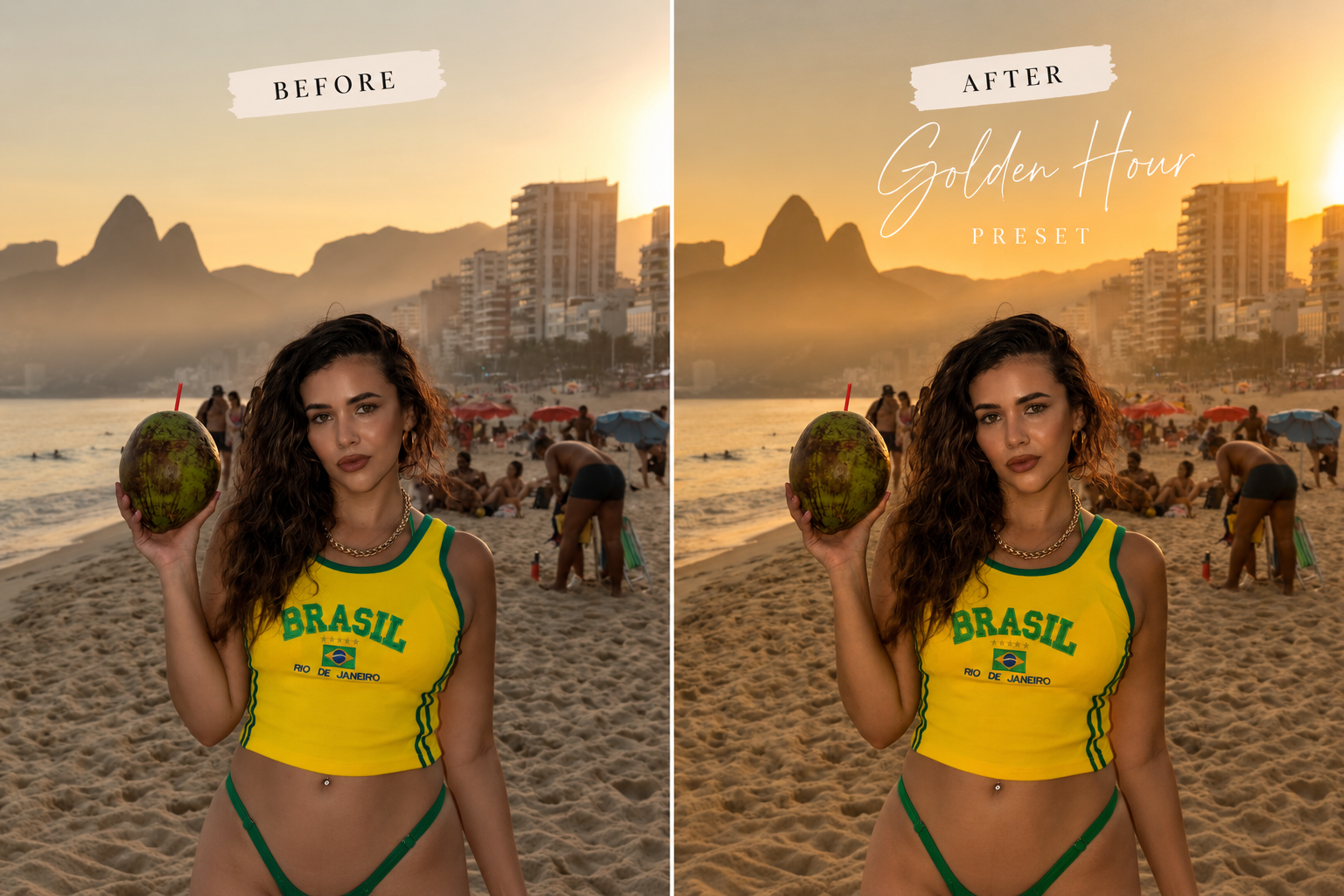
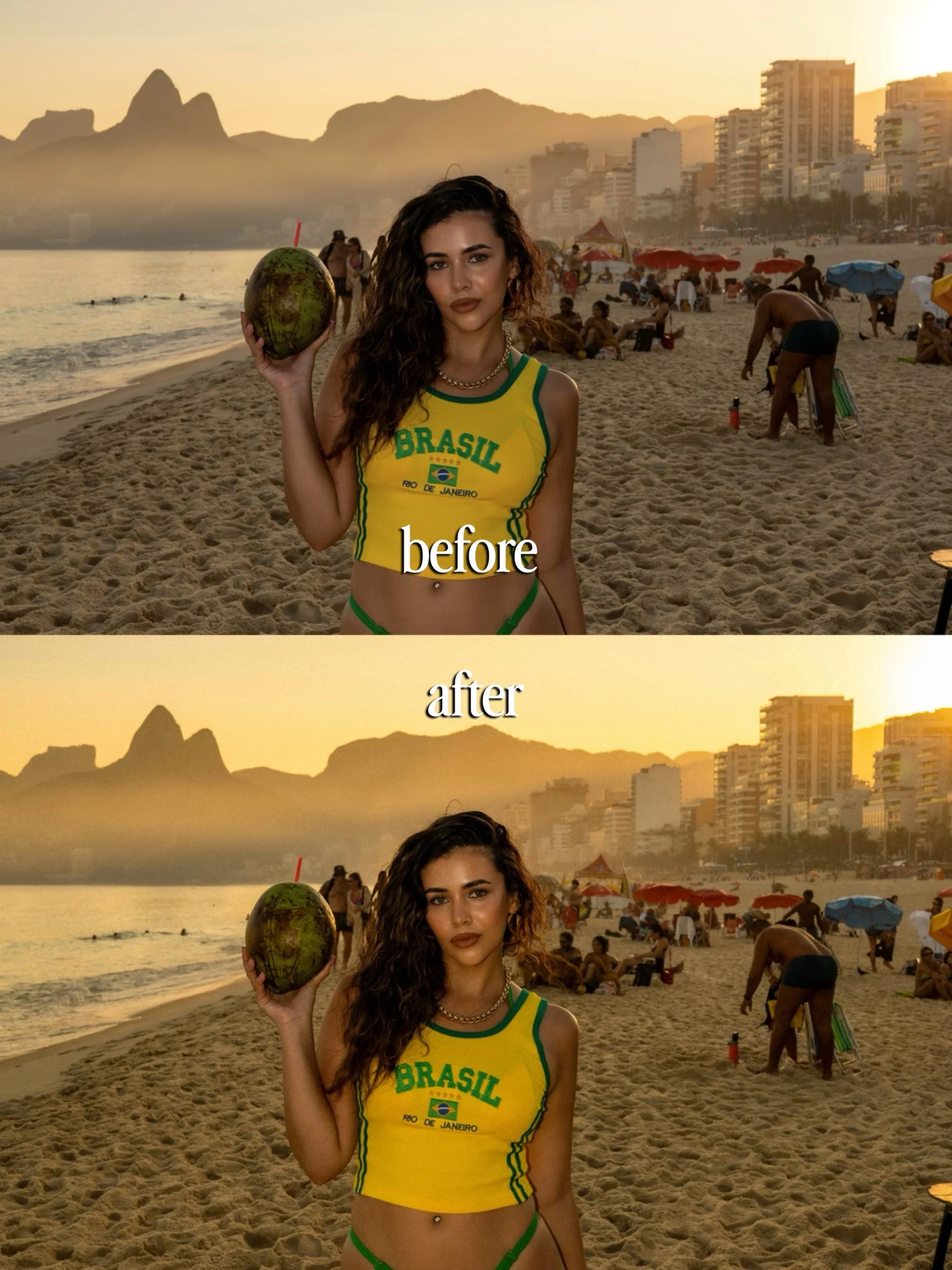
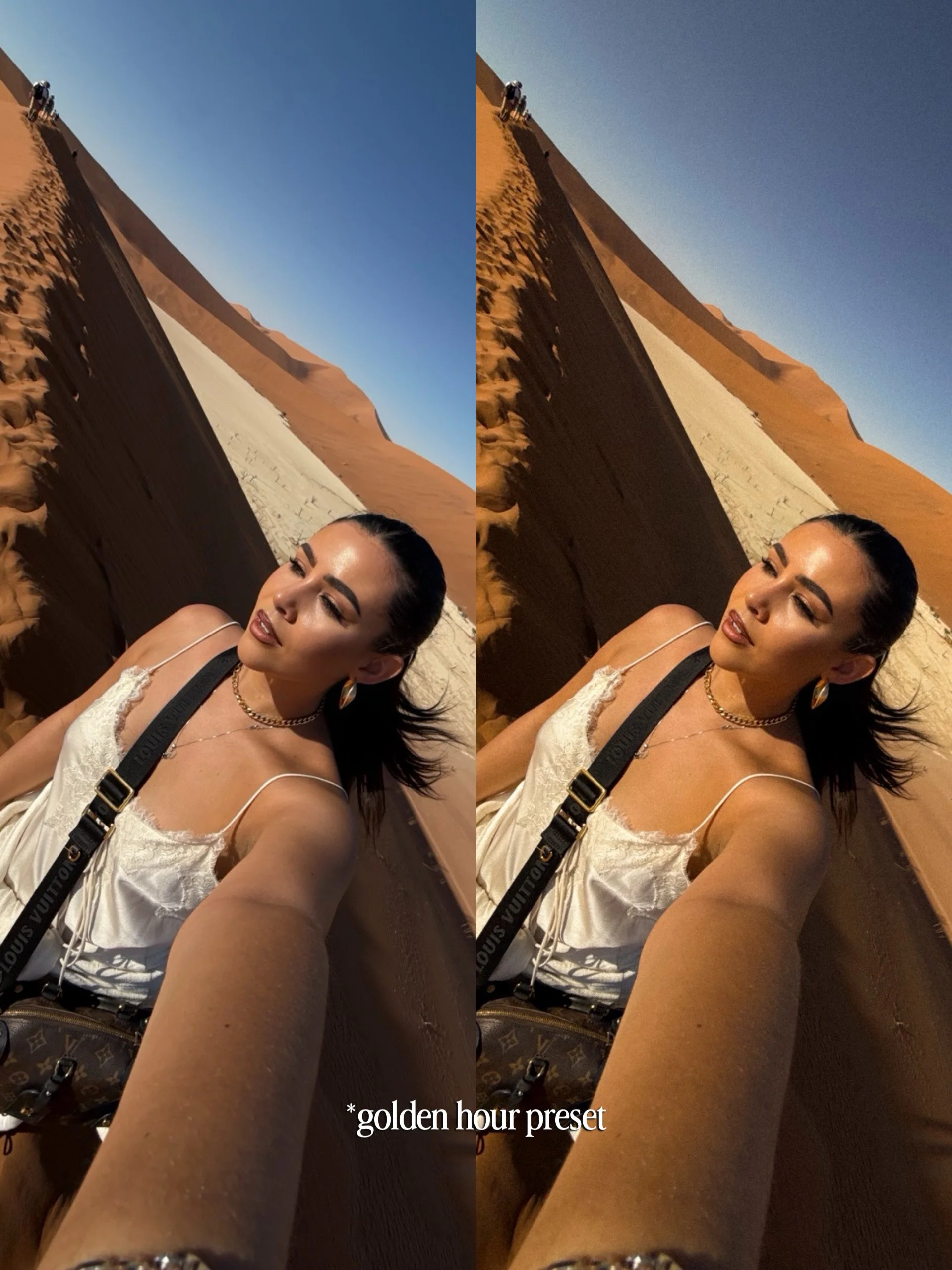
5. Golden Hour
Made for that beautiful golden glow. Perfect for sunsets, warm evening light, desert landscapes and dreamy sun kissed travel photos.

Easy installation guide
Compatible with Lightroom Mobile
Perfect for easy, on-the-go travel, lifestyle and everyday photography

Oh

Installing your presets takes just a few seconds. You’ll need the Adobe Lightroom Mobile app on your phone.

Step 1: Download your presets

After purchasing, download the ZIP file containing your presets to your phone.

Open the ZIP file to unzip it. Inside, you’ll find your 5 preset files in .XMP format.

Step 2: Open Lightroom Mobile

Open the Adobe Lightroom Mobile app and select any photo from your library.

Step 3: Open Presets

Tap Presets at the bottom of the editing screen.

Then select:

Yours → Presets

Step 4: Import your presets

Tap the three dots (•••) in the top right corner.

Select Import Presets.

Choose one of the .XMP preset files you downloaded and import it into Lightroom.

Repeat this for each preset in the pack.

Step 5: Start editing!

Your new presets will now appear under Yours → Presets.

Simply select a preset to apply it to your photo.

A little tip: Every photo is different! Think of my presets as your starting point. Once applied, you can still adjust exposure, shadows, highlights, warmth, colour and any other Lightroom settings to perfectly suit your photo.

Enjoy your presets! 🤍

Oriana

Once downloaded, the presets are YOURS, to keep forever.

*This product is non-refundable because once the digital files are downloaded I cannot get them back.

Edit less. Travel more. ✈️

Start with 5 of my signature Mobile Lightroom Presets, created to give your photos a polished, elevated travel look in just one click. 📸

These are the presets I’ve designed around the style I love most: bright, rich colours, beautiful skin tones and images that feel vibrant without looking overly edited.

Whether you’re shooting tropical beaches, lush landscapes, city breaks or everyday moments, each preset gives you a beautiful starting point that you can easily adjust to suit your photo.

No desktop needed. Simply download, add them to the Lightroom Mobile app and start editing straight from your phone.

Included:

5 SIGNATURE MOBILE LIGHTROOM PRESETS

1. Oriana’s Signature
My go to, all round preset for your everyday travel photos. Bright, rich and polished while keeping everything looking natural.

2. Life’s a Beach
Made for sunshine, turquoise water and tropical escapes. Perfect for beaches, islands, pools and those dreamy summer shots.

3. Green Dream
Designed for photos where green takes centre stage. Think jungles, mountains, hiking trails, forests and lush landscapes.

4. City Girl
Your go to for city breaks. A minimalist preset perfect for urban settings. Designed to bring out architecture, buildings, streets and those effortlessly cool city moments.

5. Golden Hour
Made for that beautiful golden glow. Perfect for sunsets, warm evening light, desert landscapes and dreamy sun kissed travel photos.

Easy installation guide
Compatible with Lightroom Mobile
Perfect for easy, on-the-go travel, lifestyle and everyday photography

Oh

Installing your presets takes just a few seconds. You’ll need the Adobe Lightroom Mobile app on your phone.

Step 1: Download your presets

After purchasing, download the ZIP file containing your presets to your phone.

Open the ZIP file to unzip it. Inside, you’ll find your 5 preset files in .XMP format.

Step 2: Open Lightroom Mobile

Open the Adobe Lightroom Mobile app and select any photo from your library.

Step 3: Open Presets

Tap Presets at the bottom of the editing screen.

Then select:

Yours → Presets

Step 4: Import your presets

Tap the three dots (•••) in the top right corner.

Select Import Presets.

Choose one of the .XMP preset files you downloaded and import it into Lightroom.

Repeat this for each preset in the pack.

Step 5: Start editing!

Your new presets will now appear under Yours → Presets.

Simply select a preset to apply it to your photo.

A little tip: Every photo is different! Think of my presets as your starting point. Once applied, you can still adjust exposure, shadows, highlights, warmth, colour and any other Lightroom settings to perfectly suit your photo.

Enjoy your presets! 🤍

Oriana

Once downloaded, the presets are YOURS, to keep forever.

*This product is non-refundable because once the digital files are downloaded I cannot get them back.

Edit less. Travel more. ✈️

Why My Presets?

I created these presets to make editing your travel photos quick, easy and beautiful, wherever you are.

They’re designed specifically for Lightroom Mobile, so you can edit straight from your phone while travelling, sitting at a café, on a plane or literally anywhere.

Apply your preset in one click and you’re ready to go. But every photo is different, so you still have complete flexibility to edit afterwards. Adjust the exposure, warmth, shadows, colours or anything else until it works perfectly for your image.

Think of the presets as your starting point rather than a filter you’re stuck with. They give you the look, while you still have complete creative control.

How to Download & Install

Once you’ve purchased your presets, you’ll receive a ZIP file containing your preset files. Make sure you download the ZIP file directly to your phone.

1. Download your ZIP file

After purchasing, download the file to your phone. On iPhone, you can usually find it inside the Files app → Downloads.

2. Unzip the folder

Tap the ZIP file once and your iPhone will automatically create a new folder containing your preset files.

3. Open Lightroom Mobile

Make sure you have the Adobe Lightroom Mobile app installed on your phone. Open Lightroom and select any photo from your library.

4. Import your presets

Open the photo, go to Presets, tap the three dots in the Presets panel and select Import Presets.

Navigate to the folder you just unzipped in your Files app and select the .XMP preset files.

5. Start editing!

Once imported, your new presets will appear inside Lightroom under Yours / User Presets. Simply select a preset to apply it to your photo.

You only need to install them once. After that, they’ll stay inside Lightroom ready to use whenever you want.

A Few Things to Know

These presets are designed for Lightroom Mobile and come as .XMP files.

Every photo is taken in different lighting, so your final result may vary slightly from the examples shown. After applying a preset, I always recommend making small adjustments to things like exposure, white balance, highlights and shadows to suit your individual photo.

The presets are completely editable, so feel free to make them your own.

Tip: For the best results, start with a well exposed, high quality image. Presets can transform your edit, but your original lighting still makes a difference!